One window for every cluster you operate.
kdashboard is a desktop IDE for Kubernetes: live resource tables, a diagnosis engine that tells you why something is broken, streaming logs, in-pod shells and a YAML editor with revision diffs — for people who switch context and namespace all day.
$ brew install folio-pro/tap/kdashboard v0.10.0 · 2026-09-05 FSL-1.1-Apache-2.0 Electron 43 · Svelte 5 · TypeScript macOS · Linux · Windows
What it does not do
No agent in the cluster
Nothing is installed cluster-side. kdashboard talks to the API server with the credentials you already have.Nothing phones home
No accounts, no telemetry, no vendor in the path. Your kubeconfig never leaves the machine.Your RBAC, unchanged
Every list, every action and every namespace in the picker is exactly what your user is allowed to do.Your own AI CLI
The agent panel runs Claude Code or Codex from your machine, against a loopback endpoint, with approval on every change.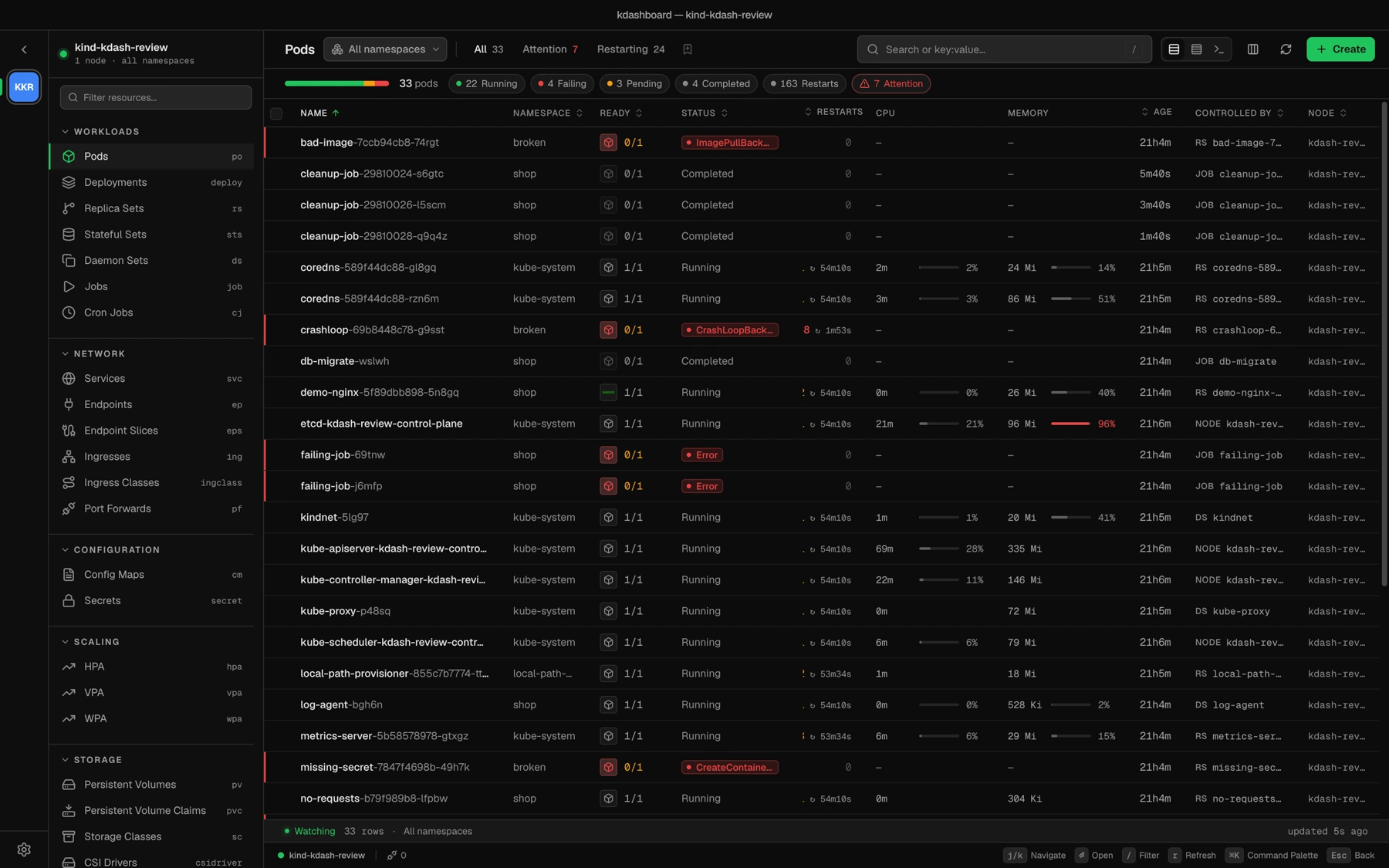
Platforms 3 macOS · Linux · Windows
Price €0 no account, no licence key
License FSL-1.1 Apache 2.0 two years after each release
Why kdashboard
kubectl is fast but noisy. Most GUIs are a thin wrapper around it, or they fall over on clusters with thousands of objects.
01
It tells you what is wrong, not just that something is
The Problems view correlates workload status, events and pod conditions into a diagnosis with a next step, and links straight to the logs that explain it. 02
It never leaves the cluster half-read
Lists stream through shared watchers, tables are virtualised, and payloads are projected down to the columns on screen. Ten thousand pods scroll like ten. 03
It works with what you already have
Your kubeconfig, your RBAC, your metrics-server, optionally your Prometheus and a local trivy. No agent in the cluster, nothing phones home. What is in the app
Twelve things you would otherwise keep in twelve terminals.
Problems and Overview
A cluster health page and a diagnosis engine: crash loops, image pulls, unschedulable pods, failed jobs, pending volumes — each with a cause and a next step.Debug in place
Streaming logs with level filters, regex and time windows. A real shell into any container, node shells, ephemeral debug containers, saved port-forwards.Change safely
A YAML editor whose schema linting blocks a broken apply, local history with a diff, revision history with side-by-side template diffs, and a confirmation on every destructive action.Topology and NetworkPolicy
An interactive graph of workloads, services and config, with an overlay that shows what can actually talk to what.Security and RBAC explorer
Image vulnerabilities through a local trivy or grype, and a permissions explorer that answers “can this ServiceAccount get pods in shop?”Cost and rightsizing
Per-namespace and per-pod estimates, plus request recommendations against real usage with an Apply button that writes the patch.Helm, CRDs, events
Every Helm release read straight from its Secret, with no helm binary. CRDs are first-class with their printer columns. A live events feed.AI agent, bring your own CLI
Run Claude Code or Codex in a bottom panel wired to the cluster through a loopback MCP endpoint. Four mutations, each behind Approve or Deny.MCP server for your AI tools
Optionally expose the same tools on a fixed localhost port with a bearer token, so your other AI clients use kdashboard as their Kubernetes server.Built for large clusters
Virtualised tables, lean list projections, shared watchers batched at 50 ms, and a scheduler that keeps draining in the background.Keyboard first
A palette that searches the whole cluster, Vim-style table navigation, single-key logs, shell, edit and scale, and eleven themes. Tour
Four screens out of the fifteen.
Every screenshot on this site is the real app against a kind cluster seeded with broken workloads — nothing is mocked up.
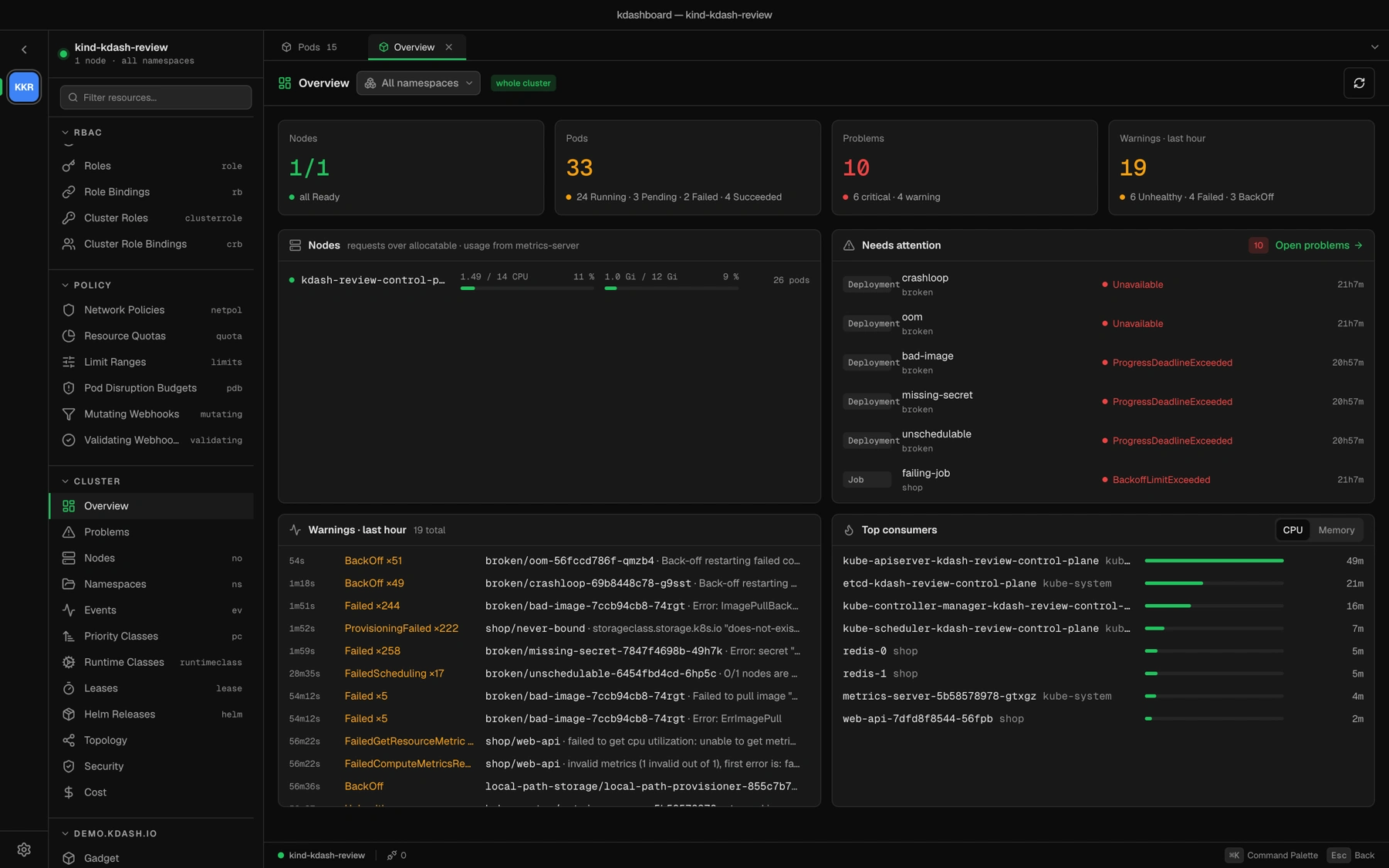
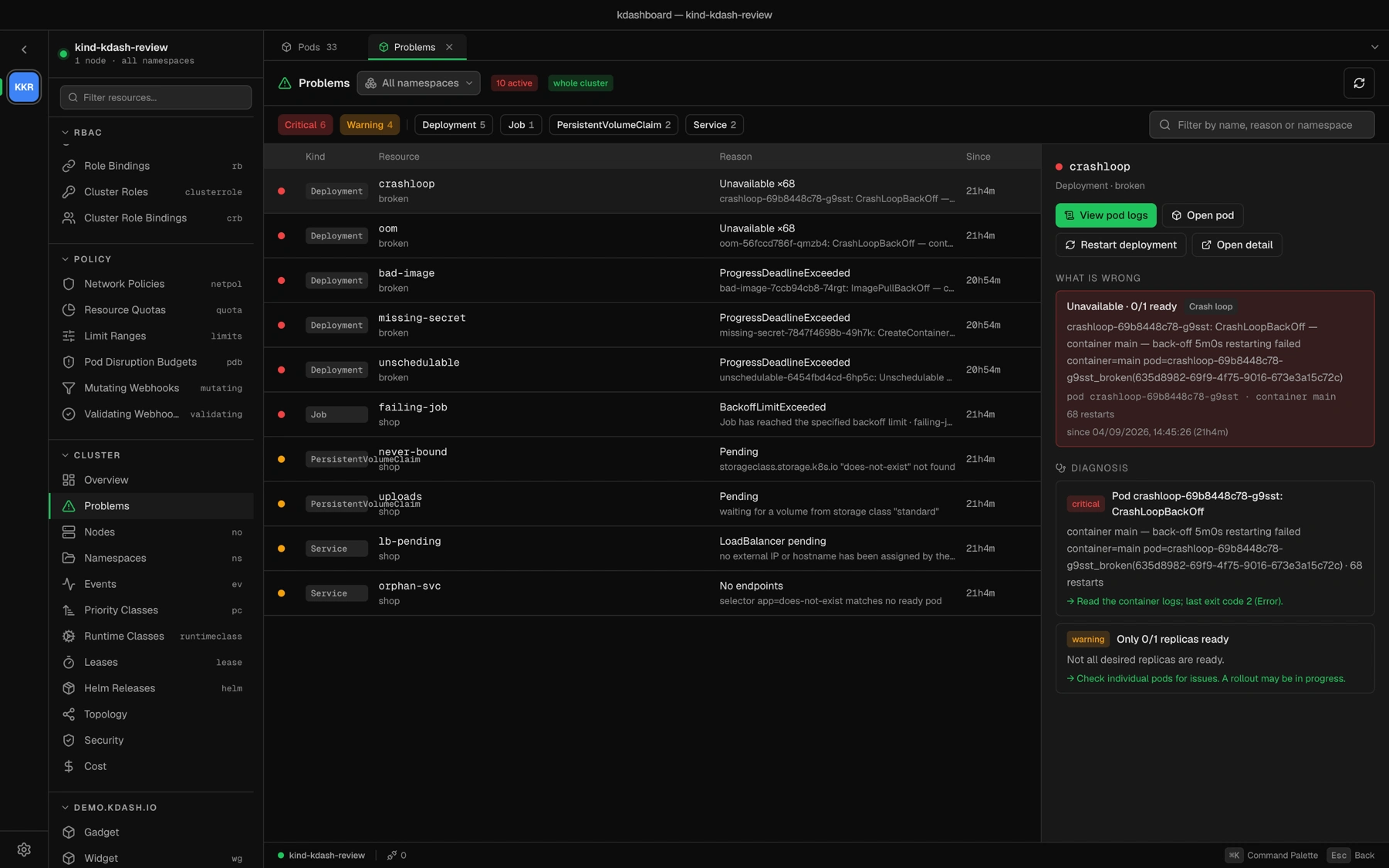
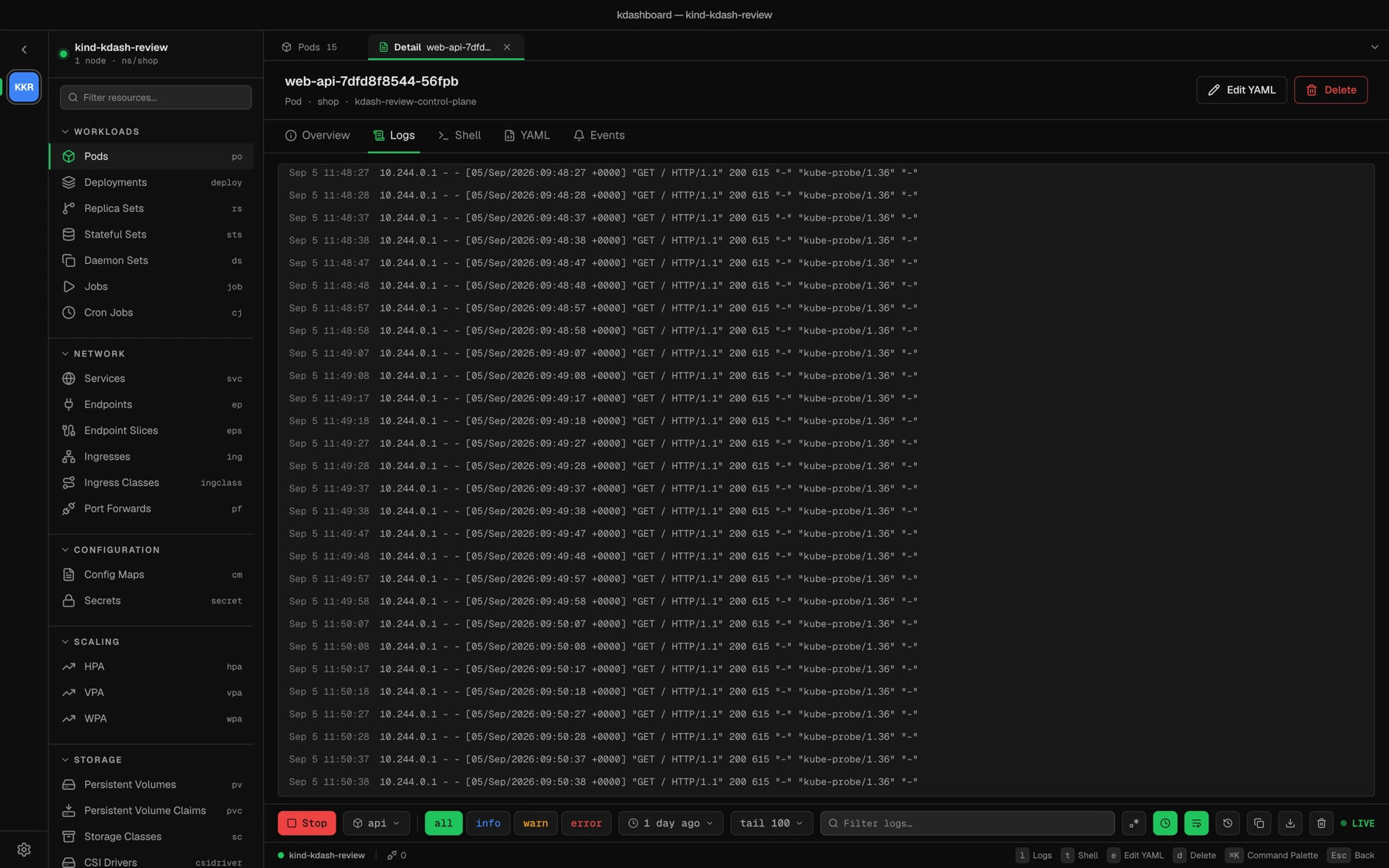
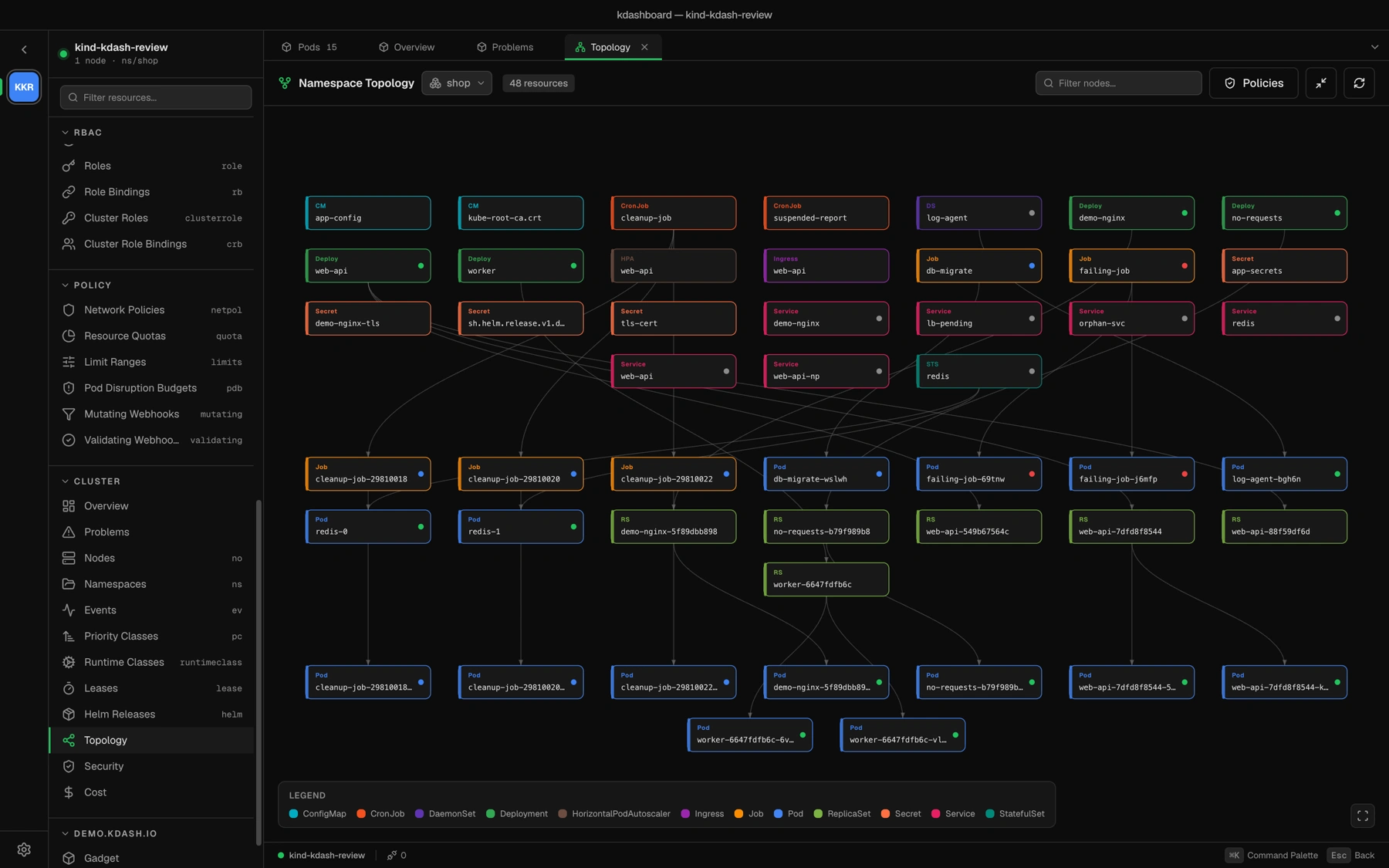
See the whole tour → Fifteen screens, from the command palette to rightsizing.
AI agent
The agent is your CLI, on a loopback endpoint.
Press ⌘J and kdashboard spawns Claude Code or Codex in a panel, then serves it an MCP endpoint from its own process — random port, per-session token, pinned to the context you started on. The agent sees exactly the cluster the window sees.
10 read tools 4 safe mutations approval on every change no vendor in the path external MCP endpoint, opt-in
Where the calls go Nothing leaves the machine except what your own CLI sends to its own provider
Install
One command, or one download.
macOSHomebrew is the update channel
$ brew install folio-pro/tap/kdashboard LinuxAppImage · self-updating
$ curl -LO https://github.com/folio-pro/kdashboard/releases/download/v0.10.0/Kdashboard-0.10.0.AppImage
$ chmod +x Kdashboard-0.10.0.AppImage && ./Kdashboard-0.10.0.AppImage
WindowsInstaller · self-updating
kdashboard-Setup-0.10.0.exe Where does my cluster data go when I use the agent?
To the CLI you already trust, running on your machine. kdashboard serves it a loopback MCP endpoint; the four mutating tools block on an in-app Approve or Deny.Is it free?
Free for your own operations, research and education under the Functional Source License. Each release becomes Apache 2.0 on its second anniversary. You cannot resell it as a competing product.Point it at a cluster and see.
No sign-up · no agent · v0.10.0 · macOS, Linux, Windows$ brew install folio-pro/tap/kdashboard