Helm, CRDs, events and nodes
Helm releases read without the helm binary, custom resources as first-class tables, a live events feed, autoscalers and nodes.
Helm releases
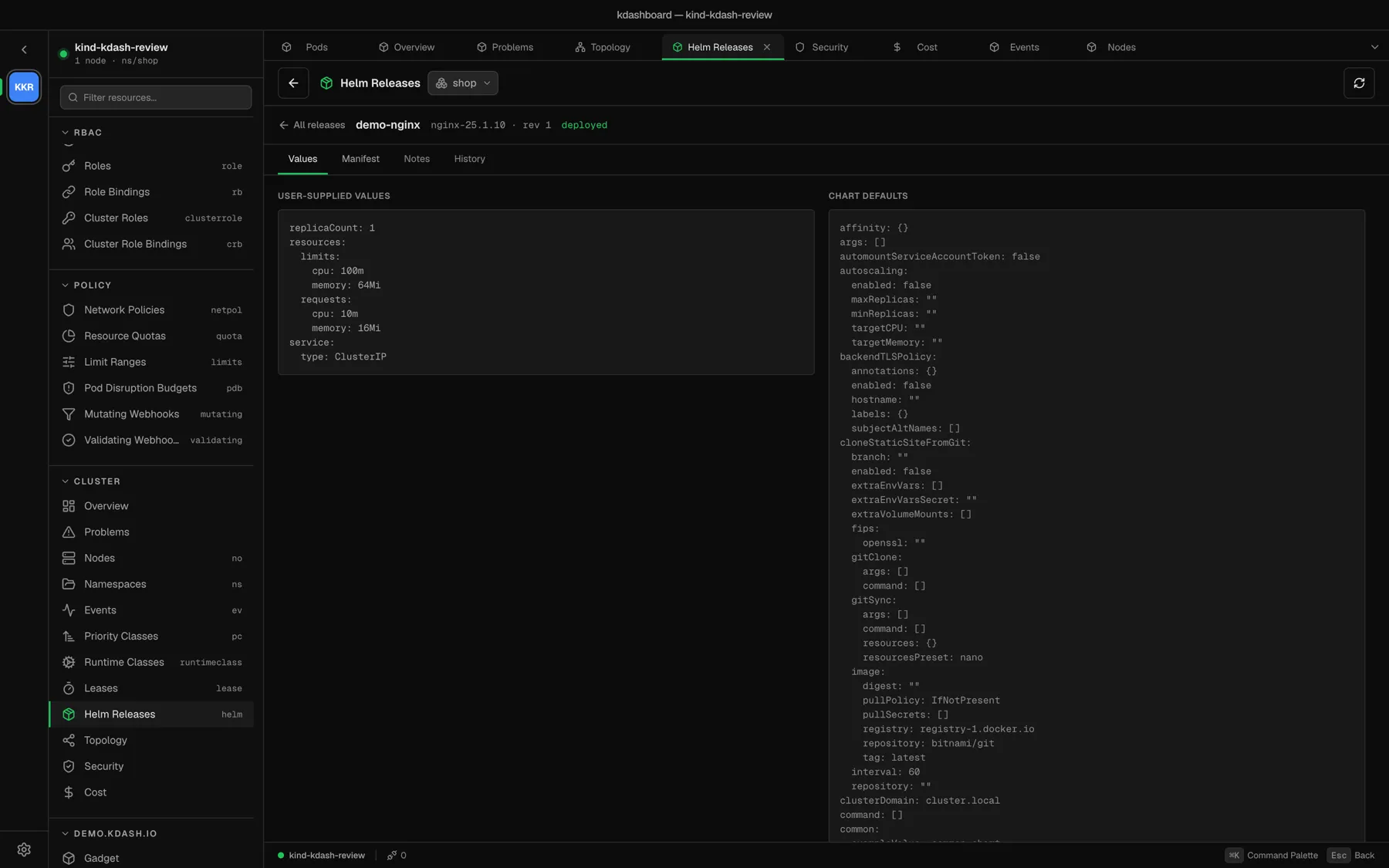
Cluster → Helm Releases lists the releases of the selected namespace with their chart, app version, revision, status and last update.
kdashboard reads releases straight from the Secrets Helm stores them in (owner=helm). You do not need the helm binary — only permission to read Secrets in the namespace.
Open a release for four tabs:
| Tab | Contents |
|---|---|
| Values | The values you supplied, next to the chart’s defaults |
| Manifest | The rendered manifest of the revision |
| Notes | The chart’s NOTES.txt |
| History | Every revision, with its status, chart version and description. Click a revision number to load it. |
The view is read-only: install, upgrade, rollback and uninstall stay with helm or your GitOps tool.
Custom resources
When you connect, kdashboard discovers the cluster’s CRDs and adds a sidebar section per API group. A custom resource table has:
- Name, Namespace and Age, plus the printer columns the CRD defines — the ones
kubectl getshows; - the same live updates, search and filters as any built-in table.
A custom resource’s detail shows its overview, the printer columns as properties, conditions, labels, and its spec and status. e opens the YAML editor.
If you see No permission to list CRDs in this cluster, your user cannot list customresourcedefinitions; everything else works as usual.
Events
Cluster → Events is a live feed laid out like kubectl get events: Last Seen, Type, Reason, Object, Message, Count and Namespace, newest first.
- The Warnings view keeps only Warning events.
- The usual filters work:
type:Warning,reason:BackOff,count:>5.
The events of a single resource are in the Events tab of its detail. The Overview summarises the warnings of the last hour.
Autoscalers
The Scaling section has tables for HPA, and for VPA and WPA when those CRDs are installed (Vertical Pod Autoscaler and Datadog’s Watermark Pod Autoscaler).
With a Prometheus configured, an autoscaler’s detail charts the replica count over the last hour. The Scale dialog warns you when a workload is under an HPA.
Nodes
Cluster → Nodes lists the nodes and — with metrics-server — their live CPU and memory against capacity. The Not ready view keeps only the nodes that are not Ready.
A node’s detail has its system information, capacity and allocatable resources, conditions, addresses, taints, labels, and the pods running on it. From the header or the row menu you can Cordon, Uncordon and Drain it, or open a Node Shell.