Settings
Every setting, what it changes, and the files kdashboard keeps on your machine.
Open Settings with ⌘,, the gear at the bottom of the context rail, or ⌘K → Open Settings. It has four tabs — General, Kubernetes, Shortcuts and Extensions — plus any tab an extension adds.
General
Appearance
Eleven themes, applied to the whole app, the terminal included.
| Dark | Light |
|---|---|
| kdashboard (default), Gruvbox Dark, Solarized Dark, Everforest Dark, Dracula, Monokai | Gruvbox Light, Solarized Light, Everforest Light, Rose Pine Dawn, GitHub Light |
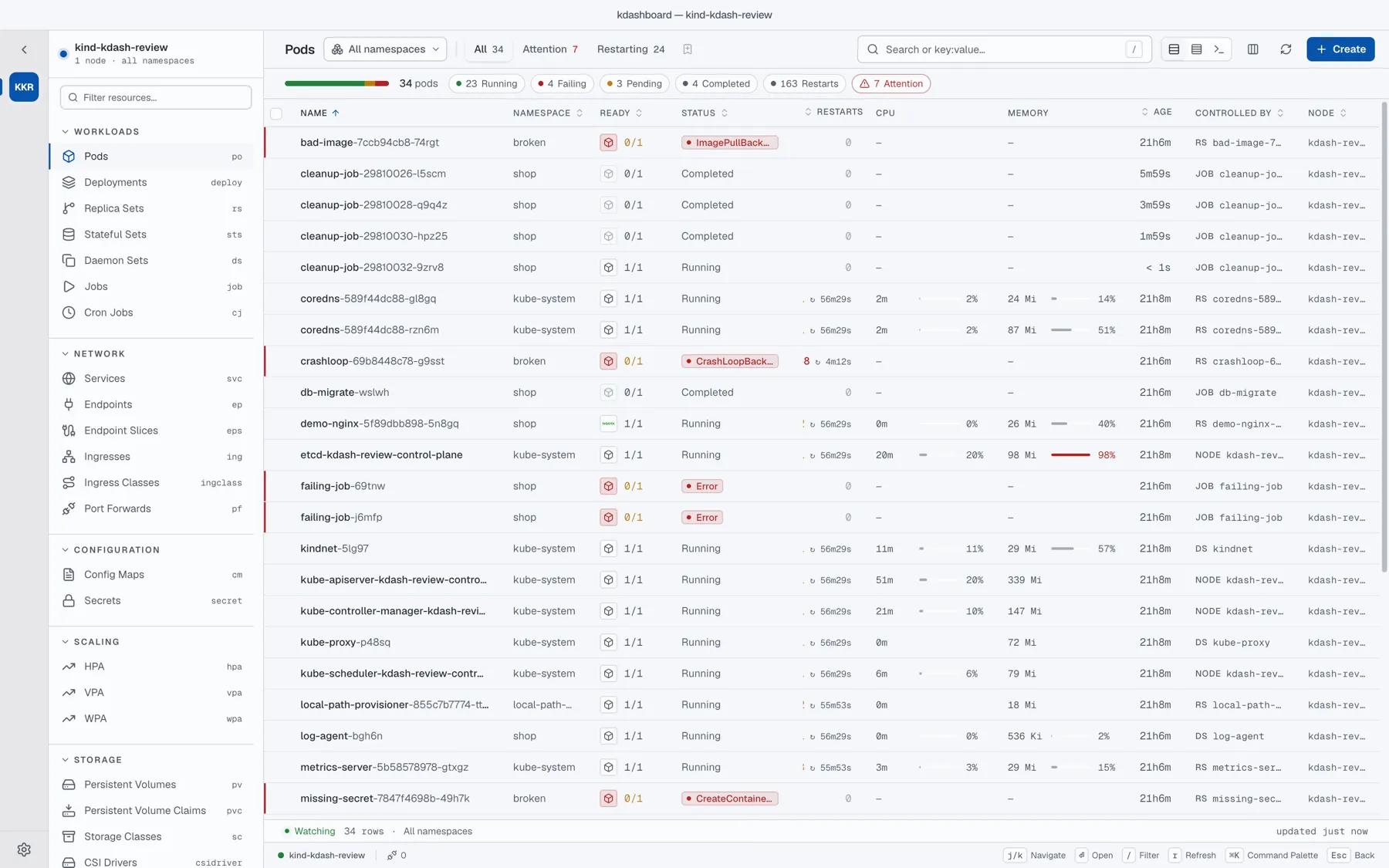
Table Display
| Density | Rows |
|---|---|
| Comfortable (default) | 36 px, with room for a status pill on every row |
| Compact | 30 px |
| Terminal | 26 px, in a mono face — like a k9s pane |
The same choice is in every table’s toolbar.
AI Agent
- Require approval for agent mutations — on by default. Every change the agent requests waits for your Approve or Deny. Turn it off only on clusters where an unattended change is acceptable.
- Expose to external AI tools (MCP server) — off by default. See MCP server.
Kubernetes
Contexts
Give each context a label, an icon and a colour, or remove it from the kubeconfig. See Clusters and namespaces.
Kubeconfig
The path of the kubeconfig to use; empty means ~/.kube/config. Below it, Import another kubeconfig merges contexts from a file or from pasted YAML.
Prometheus
Optional. metrics-server only knows the latest reading, so anything over time needs a Prometheus.
Enter a URL that is reachable from your machine — an ingress URL, or http://localhost:9090 while you port-forward the Prometheus service — then Test and Save. Test runs a query for up and tells you how many series came back.
It enables:
- an hour of CPU and memory history in pod details, and replica history on autoscalers;
- seven-day P95 rightsizing;
- the
query_prometheustool of the agent.
kdashboard sends plain, unauthenticated requests to that URL: there are no fields for a token or basic auth, and it does not discover an in-cluster Prometheus by itself. Clear the field and Save to turn it off.
Cost Pricing
Refresh Pricing clears the cached cloud price lists, so the next visit to Cost downloads them again. Prices change about once a month; you rarely need this.
Shortcuts
A read-only list of every keyboard shortcut. Shortcuts cannot be rebound.
Extensions
Lists the installed extensions with their state, and has Open folder, Reload app and API docs.
Updates
kdashboard checks for a new version once, shortly after it starts, and shows a banner when there is one. On Linux and Windows, Update now downloads it and restarts. On macOS the banner gives you the Homebrew command to copy. There is no setting to turn the check off. See Install and update.
Files on disk
Everything lives in one folder:
| OS | Folder |
|---|---|
| macOS | ~/Library/Application Support/kdashboard |
| Linux | ~/.config/kdashboard |
| Windows | %APPDATA%\kdashboard |
| File | Contents |
|---|---|
settings.json | Your settings, context labels, pinned resources, saved views, saved port-forwards, watched resources, extension storage — and the MCP token, in plain text |
pricing/ | Cached cloud price lists |
openapi-cache/ | The clusters’ OpenAPI schemas, for YAML linting |
login-shell.path | The PATH of your login shell |
extensions/ | Your extensions |
Also:
~/.kdashboard/agent-workspace/— the empty folder the agent CLI runs in. Safe to delete.- Your kubeconfig — modified when you switch context (
current-context), and when you import or remove contexts, after a backup. - Open tabs, column choices and panel sizes are kept in the app’s local storage.
Cluster data — resources, logs, Secret values, scan results — stays in memory and is never written to disk. kdashboard sends no telemetry. The complete list of what leaves your machine is on the security page.
To reset kdashboard, quit it and delete the folder.