Topology and NetworkPolicy
An interactive graph of how the workloads, services and configuration of a namespace fit together, with an overlay that shows what NetworkPolicies allow.
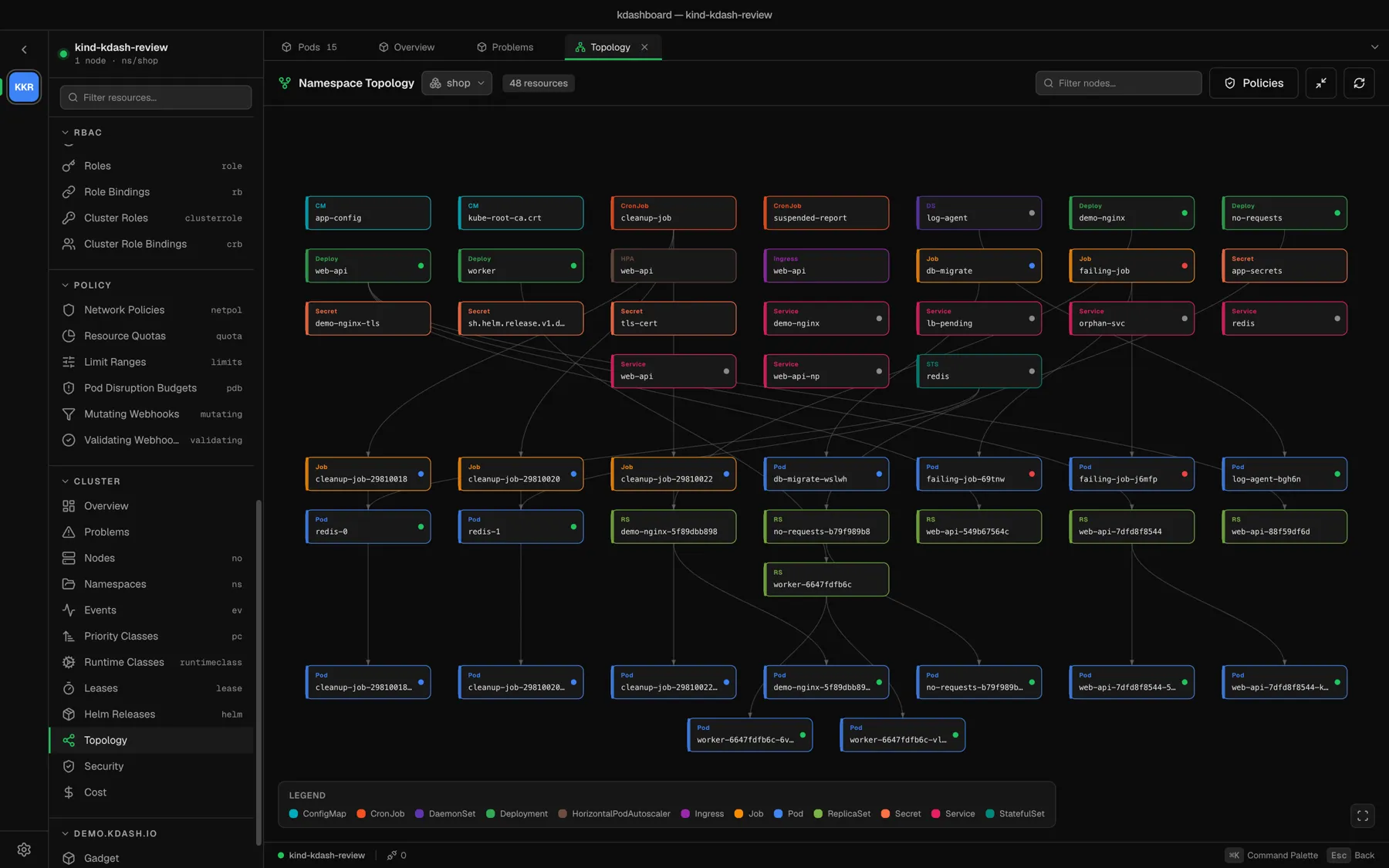
Open the graph
- Cluster → Topology in the sidebar draws the whole namespace selected in the header picker. With all namespaces selected it draws the whole cluster.
- View Topology, in the actions of any resource, draws that one resource with everything that owns it and everything it owns. The title changes from Namespace Topology to Resource Topology.
The graph contains Pods, Deployments, ReplicaSets, StatefulSets, DaemonSets, Jobs, CronJobs, Services, Ingresses, ConfigMaps, Secrets and HorizontalPodAutoscalers. Edges are ownership: a Deployment owns its ReplicaSets, which own their pods.
Move around
| To | Do |
|---|---|
| Pan | Drag the canvas |
| Zoom | Scroll; the zoom follows the pointer |
| Fit everything | The button in the bottom-right corner |
| See what a node is connected to | Hover it; everything else dims |
| Open a resource | Click its node |
| Find something | Type in Filter nodes…; matches by name or kind, and keeps direct neighbours |
| Hide the legend | The legend button in the header |
The legend lists only the kinds that are on screen.
Ghost nodes
A dashed node whose kind starts with ? is a ghost: something on the graph names it as its owner, but kdashboard could not list it — it was deleted, it is a kind the graph does not fetch, or your RBAC does not let you read it. Clicking a ghost tells you so instead of opening it.
Large graphs
Above 200 nodes, controllers that own more than three pods are drawn once, with a +N pods pill instead of one node per pod. The header then says clustered.
If ownership references form a loop, kdashboard breaks it to be able to lay the graph out and shows a cycles detected badge.
The NetworkPolicy overlay
Click Policies in the header. Every workload gets a small ring:
| Ring | Meaning |
|---|---|
| Green — isolated | Policies restrict both ingress and egress |
| Amber — partial | Only one direction is restricted |
| Red — open | No NetworkPolicy selects this workload |
Pods and ReplicaSets take the status of the workload that owns them. Dashed arrows are the flows that ingress rules allow between workloads of this namespace; hover an arrow to see the policy and the ports.
The Network policies panel on the right shows:
- whether the namespace has a default-deny for ingress and for egress;
- how many workloads are isolated, partial and open;
- for the selected workload, what may reach it and what it may reach — workloads, namespaces, CIDRs and ports — and which policies say so;
- every policy in the namespace. Click one to open it. A policy marked selects nothing has a pod selector that matches no pod: usually a typo in a label.
A namespace with no policies says so plainly: every pod accepts traffic from anywhere.